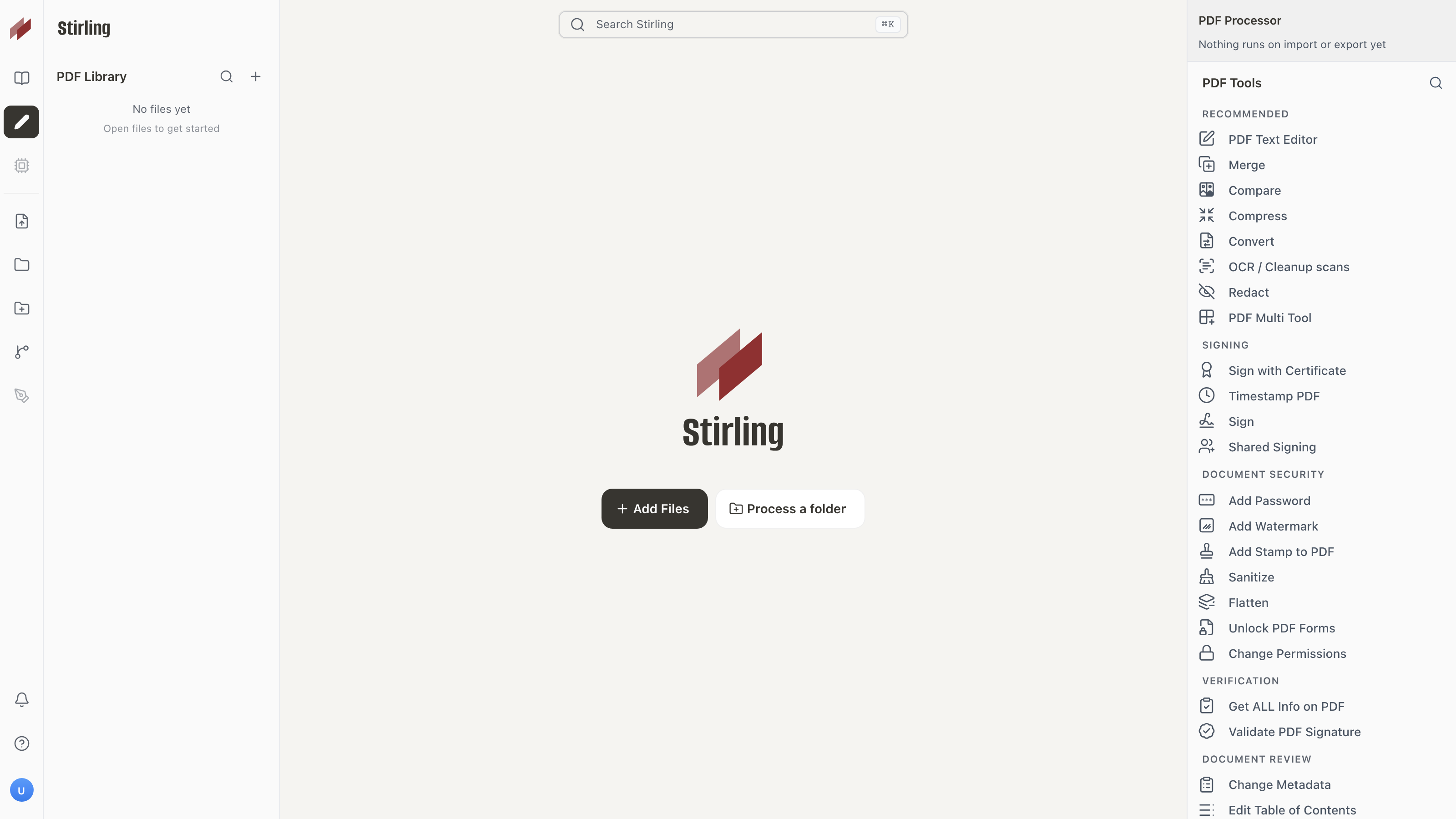
Picture published by the creator on GitHub.
Stirling-PDF: Edit, sign, and convert PDFs without uploading them anywhere
Added · Updated

Made by Stirling Tools
View profile on GitHub (opens in a new tab)Stirling PDF is a toolbox of 50+ PDF tools: edit, merge, split, sign, redact (permanently black out text), convert, compress, and OCR (turn scanned pages into searchable text).
It runs as a desktop app, in the browser, or self-hosted, which means you run the server on your own machines. Documents never have to leave those machines. Automation is covered by no-code pipelines and a REST API (a web interface other programs can call), and the interface ships in 40+ languages.
What it does
PDF chores usually mean either ad-supported websites that upload your documents or expensive desktop suites. Stirling PDF puts the whole toolbox — merging, splitting, OCR, compression, signatures, redaction, format conversion — behind one interface you run yourself, with automation pipelines for processing many files.
You could use it to…
- Merge scanned contracts, then run OCR to make them searchable
- Redact account numbers by permanently blacking them out of a PDF
- Sign a PDF or convert it to another format
Can I use this?
You'll need A computer; self-hosting is optional · Setup needed
Worth knowing Redaction and signing are the features to check most carefully: verify the output yourself before relying on it legally. GitHub lists the licence as "Other" rather than a standard one, so read the licence file before commercial use.
Why it's here
Not trending this week
Last seen on the GitHub trending list on 4 October 2026. It stays on BuildTube so you can still find it.
- 96,015 people have starred it on GitHub.
Numbers checked on 8 November 2026; not refreshed since.
Behind it
View setup guideBuildTube has not run or verified this project. Everything above is written from what the creator published.
Made this?
Quick questions
- What is Stirling-PDF?
- PDF chores usually mean either ad-supported websites that upload your documents or expensive desktop suites.
- What can I use Stirling-PDF for?
- Merge scanned contracts, then run OCR to make them searchable; Redact account numbers by permanently blacking them out of a PDF; Sign a PDF or convert it to another format
- Can I run Stirling-PDF on my computer?
- It installs as a desktop app on your own computer.
- What do I need to use Stirling-PDF?
- Download the desktop app, use the browser UI, or self-host the server for the API.
- What license does Stirling-PDF use?
- GitHub lists the licence as "Other" rather than a standard one, so read the licence file before commercial use.
More from this week
- agent-desktop Let AI agents read and click desktop apps
For developers building computer-use agents: agent-desktop lets an AI agent read and operate desktop apps on Mac, Windows or Linux from a command line.
- Auto-Ontology Give AI agents checked business meanings for your database
Help AI agents answer questions about company databases using reviewed definitions and SQL, with each answer showing its steps.
- Spec Kit Turn a written spec into plans, tasks and code
Spec Kit gives your AI coding agent a step-by-step process to build a feature, fix a bug or assess an idea.
Explore by topic
Post this
 Download share image
For makers
Made this? Show it’s on BuildTube — add the badge to your README or embed the card on your site.

README badge (Markdown)
[](https://buildtube.app/p/gh-stirling-tools-stirling-pdf/)Embed card (HTML)
<iframe src="https://buildtube.app/embed/gh-stirling-tools-stirling-pdf/" width="560" height="240" style="border:0;max-width:100%" loading="lazy" title="Stirling-PDF on BuildTube"></iframe>