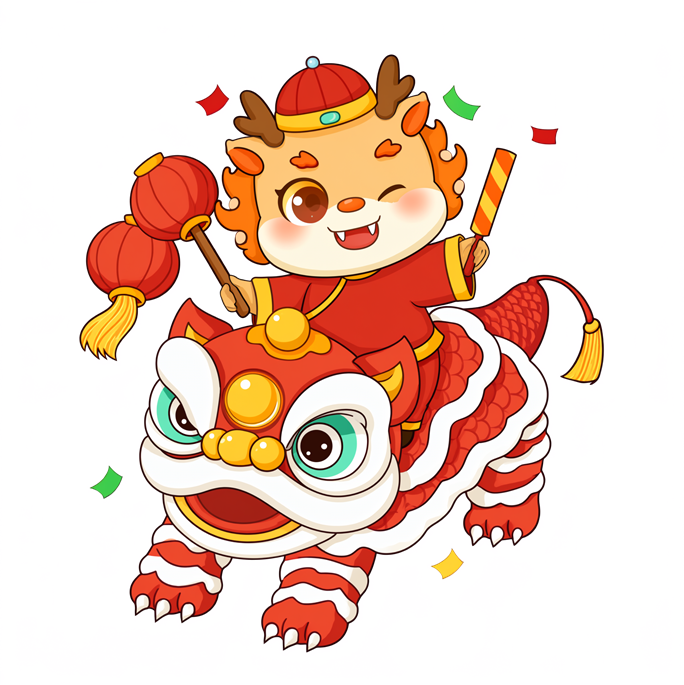
Picture published by the creator on Hugging Face.
Qwen-Image-2.1: Generate and edit images, including transparent layers, from text
Added · Updated

Qwen-Image-2.1 is a 7-billion-parameter image model from Alibaba's Qwen team that both generates pictures from a text description and edits existing ones in the same model, using up to 10 reference images and letting you mark local edits with circles, painted annotations or masks while preserving the identity of people and products shown.
A notable feature is native support for transparent (RGBA) images: it can generate images with a transparent background directly, edit the transparent layers of an existing image, or extract a subject out of a photograph, all without a separate background-removal step.
Model details
Original model Qwen/Qwen-Image-2.1
Input Text or photo Output Image
Ways to use it Browser demo · Run locally
Generate or edit images, including transparent artwork.
Other source-backed versions are listed here with their role.
Viggle/Qwen-Image-2.1-viggle-turbo · Fewer-step adapter — needs the original modelA distilled adapter loaded on Qwen Image for text-to-image and reference-image editing.unsloth/Qwen-Image-2.1-GGUF · Compressed model files — follow the supported setupA GGUF distribution of Qwen Image with source-specific setup instructions.Qwen/Qwen-Image-2.1-Turbo · Related versionAn eight-step Turbo checkpoint for text-to-image generation and image editing.Comfy-Org/Qwen-Image-2.1 · Packaged for ComfyUI workflowsA ComfyUI distribution of Qwen Image with source-linked workflows.What it does
The model uses a lightweight architecture — 32 single-stream diffusion-transformer layers with mixed-granularity attention and prefix key-value cache reuse — chosen to balance image quality against inference cost. Unifying generation and editing in one model means the same weights that create a picture from text can also take that picture back in as input for a local edit, a full-subject extraction, or a transparency change, rather than needing a separate specialized editing model.
You could use it to…
- Generate an image, then edit it in the same model
- Create transparent artwork or extract a subject from a photo
- Mark local edits with a circle instead of a full mask
Opens on Hugging Face.
Getting started
Browser demo · source checked 2026-10-08 · Source page (opens in a new tab)
- Open the official Space linked from the model page.
- Enter a prompt or upload a reference image.
- Review the generated or edited image when the Space is available.
- Try with
- Try a transparent product cutout prompt or one local edit to a supplied image.
- What to expect
- A generated image from the official demo route.
- Access note
- The Space may queue or request Hugging Face access.
Can I use this?
To run locally A GPU and the diffusers Python library · Setup needed
Worth knowing The model is licensed under Qwen's own Research License Agreement rather than a standard open-source licence, which restricts some uses; generated images can still misread a prompt's intent or render text incorrectly despite the improved typography the creator reports. Qwen Research License Agreement.
Why it's here
Not trending this week
Last seen on the Hugging Face trending list on 9 October 2026. It stays on BuildTube so you can still find it.
- 3,585 people have liked it on Hugging Face.
- It was downloaded 251,760 times in the last 30 days.
Numbers checked on 8 November 2026; not refreshed since.
Behind it
View model pageBuildTube has not run or verified this project. Everything above is written from what the creator published.
Made this?
Quick questions
- What is Qwen-Image-2.1?
- The model uses a lightweight architecture — 32 single-stream diffusion-transformer layers with mixed-granularity attention and prefix key-value cache reuse — chosen to balance image quality against inference cost.
- What can I use Qwen-Image-2.1 for?
- Generate an image, then edit it in the same model; Create transparent artwork or extract a subject from a photo; Mark local edits with a circle instead of a full mask
- Can I run Qwen-Image-2.1 on my computer?
- It runs on your own hardware with a model runtime. A GPU and the Diffusers Python library.
- What do I need to use Qwen-Image-2.1?
- A GPU with enough memory for a 7-billion-parameter diffusion model (memory-optimization options are documented for smaller cards), and Python with the Diffusers library installed.
- What license does Qwen-Image-2.1 use?
- The model is licensed under Qwen's own Research License Agreement rather than a standard open-source licence, which restricts some uses; generated images can still misread a prompt's intent or render text incorrectly despite the improved typography the creator reports.
More from this week
- P-H3-Image-Comfy Make and edit 8-megapixel images in ComfyUI
Turn short text requests into 8-megapixel images and edit pictures on your own graphics card.
- Idol Turn one picture of an object into a 3D Gaussian splat
Idol turns one photo, render or generated image of an object into a 3D Gaussian splat file.
- agent-desktop Let AI agents read and click desktop apps
For developers building computer-use agents: agent-desktop lets an AI agent read and operate desktop apps on Mac, Windows or Linux from a command line.
Explore by topic
Post this
 Download share image
For makers
Made this? Show it’s on BuildTube — add the badge to your README or embed the card on your site.

README badge (Markdown)
[](https://buildtube.app/p/hf-qwen-qwen-image-2-1/)Embed card (HTML)
<iframe src="https://buildtube.app/embed/hf-qwen-qwen-image-2-1/" width="560" height="240" style="border:0;max-width:100%" loading="lazy" title="Qwen-Image-2.1 on BuildTube"></iframe>