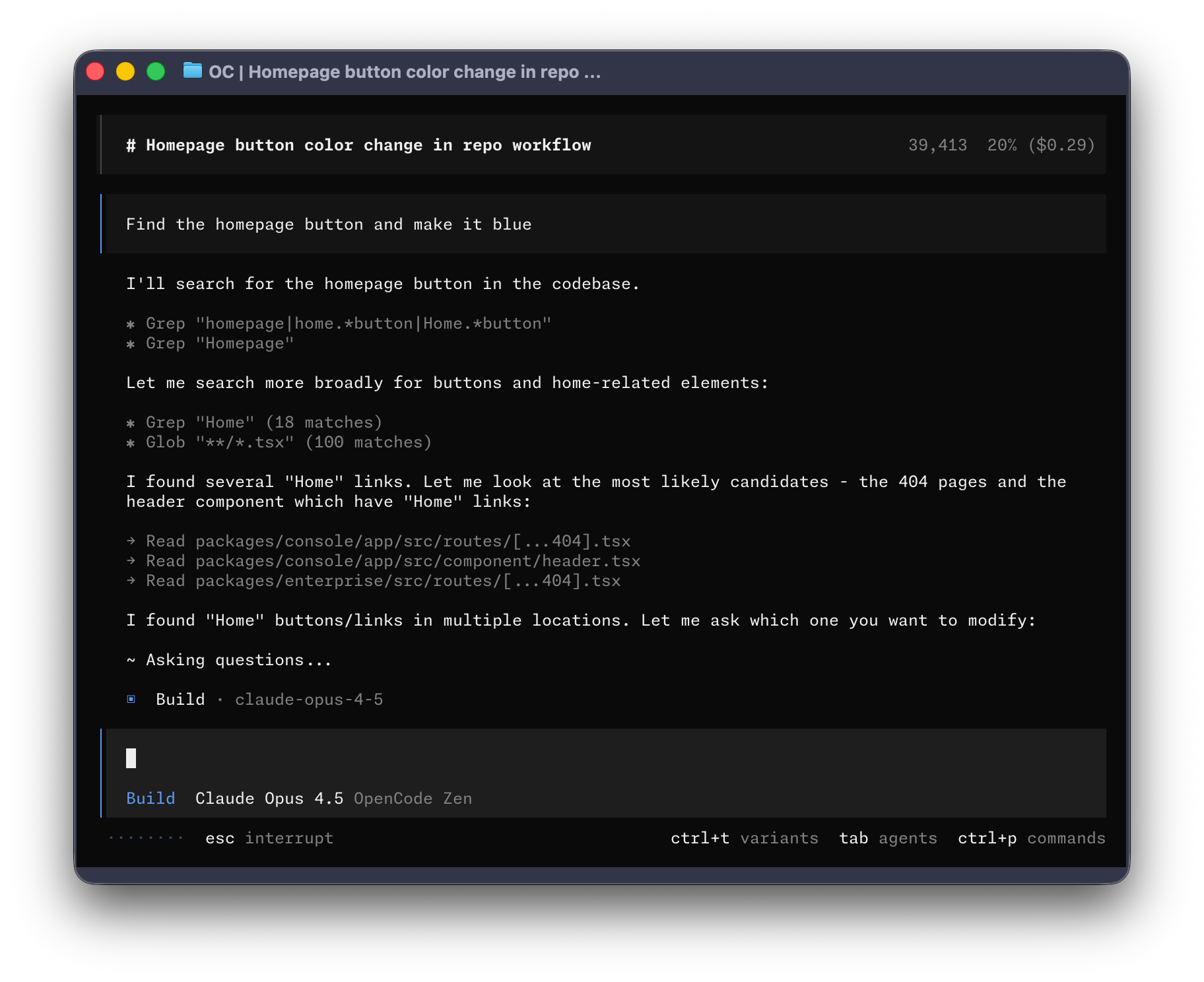
Picture published by the creator on GitHub.
OpenCode: let an AI agent read, plan and edit code in your terminal
Added · Updated

Made by Anomaly
View profile on GitHub (opens in a new tab)Ask an AI agent to explore your codebase, plan changes and write code from your terminal or a desktop app.
For developers who want an open source coding agent.
What it does
OpenCode is an AI coding agent that runs in your terminal, and also as a desktop app. It has two built-in agents you switch between with the Tab key. Build is the default and has full access for development work. Plan is read-only: it refuses file edits by default and asks before running bash (terminal) commands. A general subagent handles complex searches and multistep tasks; you can call it with @general in a message.
How to use it
Input → action → output: open OpenCode inside a project folder and type a request in plain words. In plan mode you get an explanation of the code or a proposed change; switch to build mode and the agent edits files and runs commands to make the change.
Common use cases
- Open an unfamiliar codebase, switch to the plan agent, and ask how a feature works to get a walkthrough without any files changing.
- Describe a bug to the build agent and get edited files plus the commands it ran to fix it.
- Mention @general with a broad search request and get a summary of every place in the project that matches.
Can I use this?
Requirements Install with the install script, npm, Homebrew, pacman, mise or Nix, or download the desktop app for macOS (Apple Silicon or Intel), Windows or Linux (.deb, .rpm or .AppImage). The install script lets you choose the install folder. Configuration is in the online docs. MIT licensed.
Caveat Projects that use "opencode" in their name are asked to state they are not built by or affiliated with the OpenCode team, so similarly named tools may be unofficial.
Worth knowing The desktop app is in beta. Remove versions older than 0.1.x before installing. Which AI models work and any account needs are not described in the source.
Why it's here
Not trending this week
Last seen on the GitHub trending list on 31 October 2026. It stays on BuildTube so you can still find it.
- 225,419 people have starred it on GitHub.
Numbers checked on 8 November 2026; not refreshed since.
Behind it
View setup guideBuildTube has not run or verified this project. Everything above is written from what the creator published.
Made this?
Quick questions
- What is OpenCode?
- OpenCode is an AI coding agent that runs in your terminal, and also as a desktop app.
- What can I use OpenCode for?
- Open an unfamiliar codebase, switch to the plan agent, and ask how a feature works to get a walkthrough without any files changing; Describe a bug to the build agent and get edited files plus the commands it ran to fix it; Mention @general with a broad search request and get a summary of every place in the project that matches
- Can I run OpenCode on my computer?
- It installs as a desktop app on your own computer. Install with the install script, npm, Homebrew, pacman, mise or Nix, or download the desktop app for macOS (Apple Silicon or Intel), Windows or Linux (.deb, .rpm or .AppImage).
- What do I need to use OpenCode?
- macOS, Windows or Linux. Install with a script, npm, Homebrew or other package managers, or the beta desktop app. Model and API key setup is covered in the docs, not on the repository's main page.
- What license does OpenCode use?
- MIT licensed.
More from this week
- agent-desktop Let AI agents read and click desktop apps
For developers building computer-use agents: agent-desktop lets an AI agent read and operate desktop apps on Mac, Windows or Linux from a command line.
- Auto-Ontology Give AI agents checked business meanings for your database
Help AI agents answer questions about company databases using reviewed definitions and SQL, with each answer showing its steps.
- Spec Kit Turn a written spec into plans, tasks and code
Spec Kit gives your AI coding agent a step-by-step process to build a feature, fix a bug or assess an idea.
Explore by topic
Post this
 Download share image
For makers
Made this? Show it’s on BuildTube — add the badge to your README or embed the card on your site.

README badge (Markdown)
[](https://buildtube.app/p/gh-anomalyco-opencode/)Embed card (HTML)
<iframe src="https://buildtube.app/embed/gh-anomalyco-opencode/" width="560" height="240" style="border:0;max-width:100%" loading="lazy" title="OpenCode on BuildTube"></iframe>