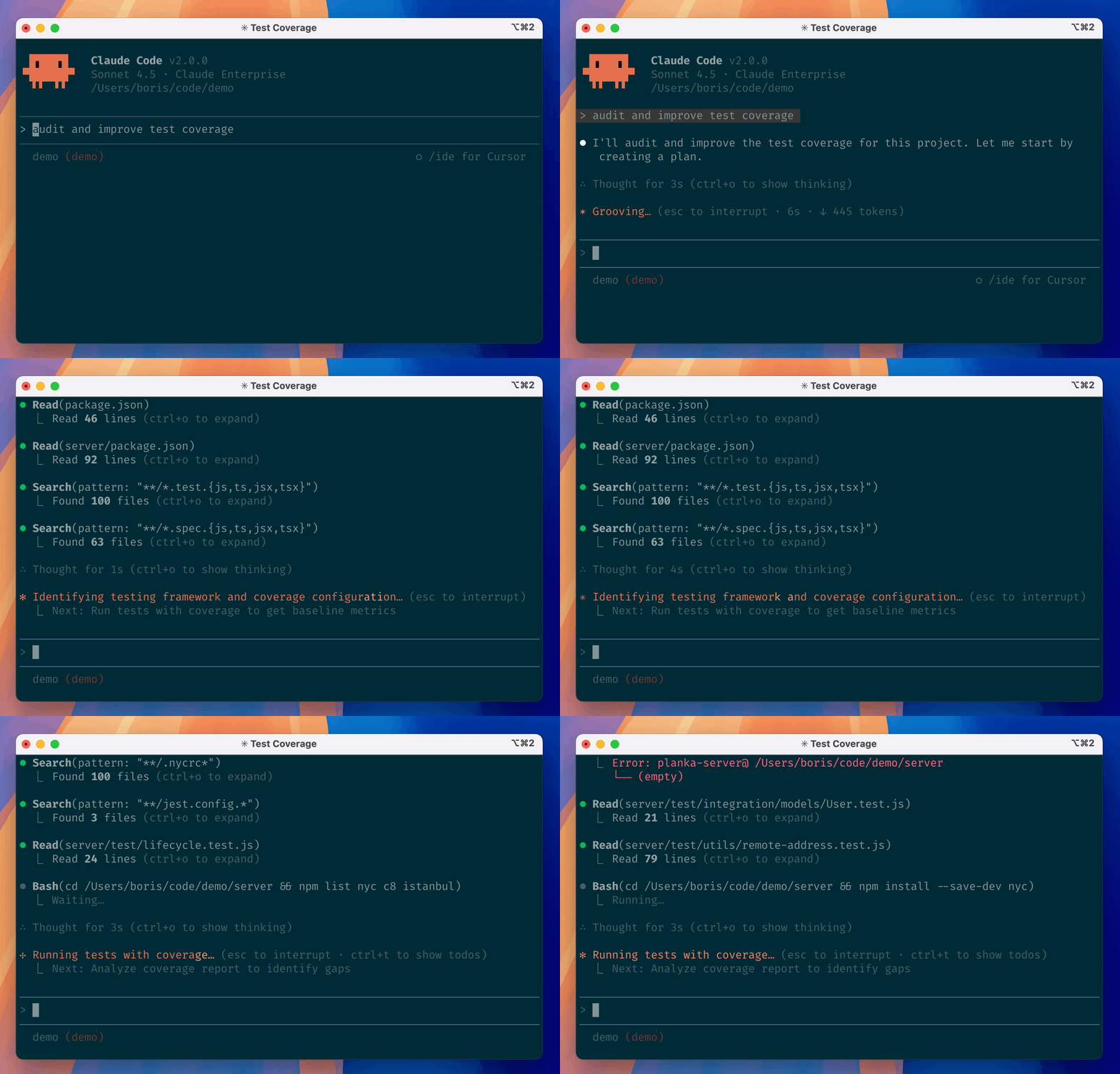
Picture published by the creator on GitHub.
claude-code: Run an AI coding agent in your terminal on your own codebase
Added · Updated

Made by Anthropic
View profile on GitHub (opens in a new tab)Anthropic’s coding agent for the terminal.
You run it inside a project and ask in ordinary language: it reads the codebase, makes edits, runs routine tasks, explains unfamiliar code and handles Git work. The same tool is available inside an editor, and it can be called on a pull request by mentioning it. This repository is where it is distributed and where issues are tracked; the recommended installs are through Homebrew or WinGet, with the npm package now deprecated. Several plugins in the repository add extra commands and agents.
What it does
The idea is that the agent goes where the code already is rather than the code going to a chat window. You open a terminal in a project and describe what you want in plain language; it reads the files it needs, proposes and makes edits, runs commands, explains what a section does, and handles the Git steps around a change. Beyond the terminal, the same agent is reachable from an editor and from GitHub, where mentioning it on a pull request brings it into the review. The repository itself is the distribution point and the public issue tracker, and it carries a plugins directory — bundles of custom commands and agents that extend what the base tool does, documented individually. Installation has moved to platform package managers, Homebrew on macOS and Linux and WinGet on Windows, with the older npm route marked deprecated and a documented uninstall path.
You could use it to…
- Ask a terminal agent to explain a codebase you've never seen
- Have it write the missing test after you ask it to
- Tag it on a GitHub pull request to get it working there
Getting started
Reviewed setup route · source checked 2026-10-21 · Source page (opens in a new tab)
- Pick the install method for your system from the source’s Get started list (macOS/Linux, Homebrew, Windows or WinGet).
- Open a terminal (the text window where you type commands) and move to a project folder.
- Type claude and press Enter to start.
- Try with
- Ask it in plain language to explain a project folder you already have; the source lists explaining complex code as a use.
- What to expect
- A chat-style coding assistant inside the terminal that can read your codebase, according to the project's documentation.
- Access note
- The source says installing through npm is deprecated. It does not say which account or plan is needed to sign in; the linked setup page covers install options and troubleshooting.
Can I use this?
You'll need A terminal and an Anthropic account · Setup needed
Worth knowing Usage data is collected: the repository states that feedback, usage data such as whether code was accepted or rejected, and the associated conversation data are gathered, with its own retention and access policies published separately. This is not an open-source release — GitHub detects no licence file on the repository, so the terms come from Anthropic rather than from an open-source licence, and reuse of the code is not implied. An agent that edits files and runs commands can do damage as well as work.
Why it's here
Not trending this week
Last seen on the GitHub trending list on 21 October 2026. It stays on BuildTube so you can still find it.
- 154,954 people have starred it on GitHub.
Numbers checked on 8 November 2026; not refreshed since.
Behind it
View setup guideBuildTube has not run or verified this project. Everything above is written from what the creator published.
Made this?
Quick questions
- What is claude-code?
- The idea is that the agent goes where the code already is rather than the code going to a chat window.
- What can I use claude-code for?
- Ask a terminal agent to explain a codebase you've never seen; Have it write the missing test after you ask it to; Tag it on a GitHub pull request to get it working there
- Can I run claude-code on my computer?
- It runs from a terminal on your own computer.
- What do I need to use claude-code?
- A terminal and an account with Anthropic to supply the model. Install through Homebrew or WinGet rather than npm, then run it from inside a project directory.
- What license does claude-code use?
- This is not an open-source release — GitHub detects no licence file on the repository, so the terms come from Anthropic rather than from an open-source licence, and reuse of the code is not implied.
More from this week
- agent-desktop Let AI agents read and click desktop apps
For developers building computer-use agents: agent-desktop lets an AI agent read and operate desktop apps on Mac, Windows or Linux from a command line.
- Auto-Ontology Give AI agents checked business meanings for your database
Help AI agents answer questions about company databases using reviewed definitions and SQL, with each answer showing its steps.
- Spec Kit Turn a written spec into plans, tasks and code
Spec Kit gives your AI coding agent a step-by-step process to build a feature, fix a bug or assess an idea.
Explore by topic
Post this
 Download share image
For makers
Made this? Show it’s on BuildTube — add the badge to your README or embed the card on your site.

README badge (Markdown)
[](https://buildtube.app/p/gh-anthropics-claude-code/)Embed card (HTML)
<iframe src="https://buildtube.app/embed/gh-anthropics-claude-code/" width="560" height="240" style="border:0;max-width:100%" loading="lazy" title="claude-code on BuildTube"></iframe>