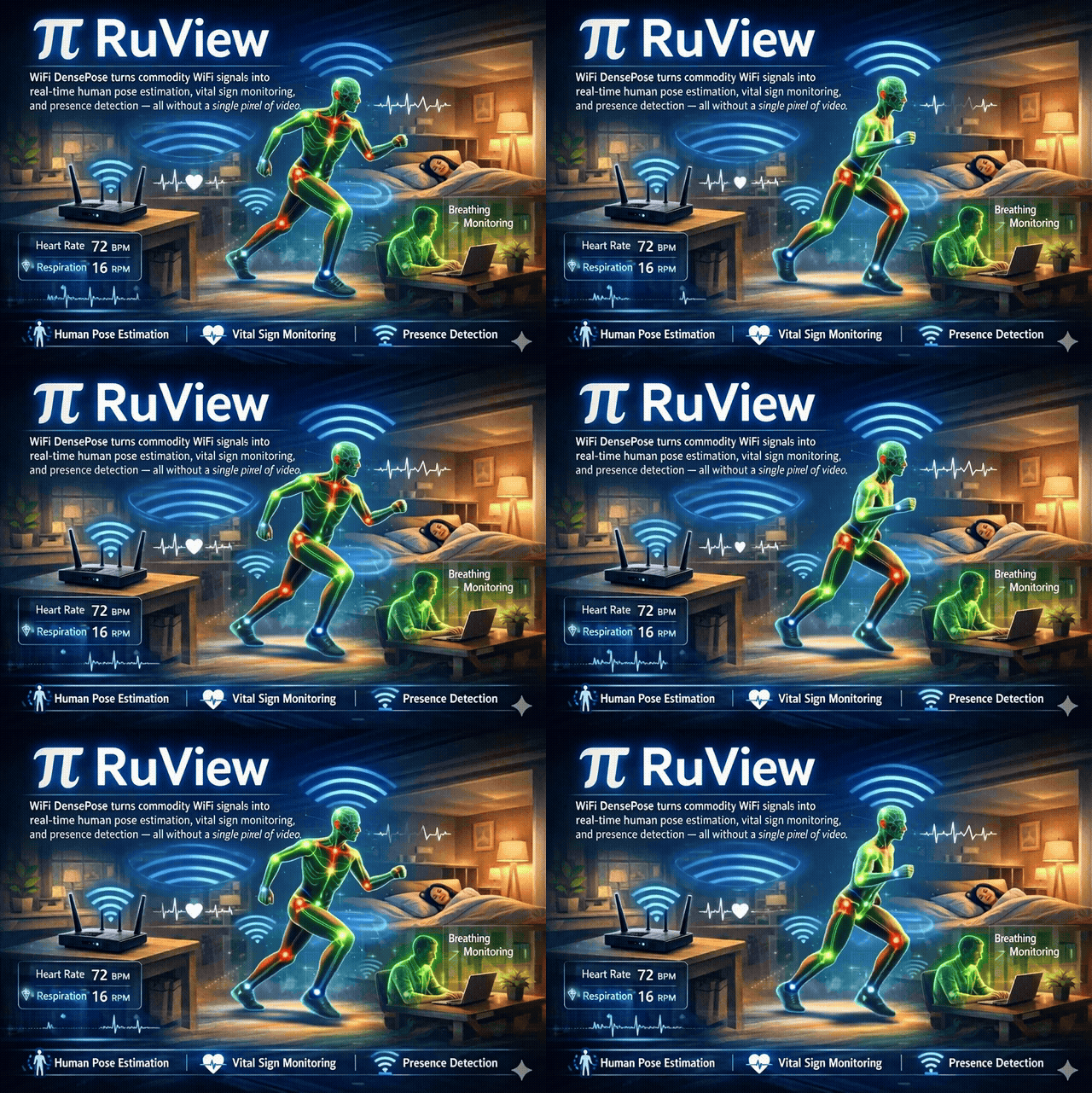
Picture published by the creator on GitHub.
RuView: Sense people and breathing in a room using ordinary WiFi
Added · Updated

Made by rUv
View profile on GitHub (opens in a new tab)RuView reads the small disturbances people cause in the WiFi signals already filling a room and turns them into information about the space, such as whether someone is there and roughly what they are doing.
It uses Channel State Information (a low-level measurement ordinary WiFi chips already produce), captured by ESP32 sensor boards. It publishes into Home Assistant over MQTT, and into Apple Home, Google Home and Alexa through a bridge. The source says it ships 21 values per sensor node and works through walls, and the project says it detects presence, breathing and heart rate without cameras.
What it does
Every WiFi router floods a space with radio waves, and bodies moving through those waves — even a chest rising and falling — change how they arrive. Channel State Information is a per-subcarrier measurement of exactly that, and ordinary WiFi chips compute it as part of normal operation. RuView captures it from ESP32 boards placed around a home and interprets the patterns over time. The project says it detects presence and counts people through walls, recognises walking, sitting, gestures and falls, fingerprints rooms and notices when furniture has moved, and estimates breathing and heart rate while someone sleeps or sits still. Each node publishes eleven raw signals and ten interpreted states — someone sleeping, room active, bathroom occupied, bed exit, no movement, multi-room transition and similar — into Home Assistant with a single flag, or into Apple Home, Google Home, Alexa and SmartThings as a bridged device.
You could use it to…
- Detect whether someone is in a room without using a camera
- Send presence data into Home Assistant over MQTT
- Watch for breathing through ordinary WiFi signals
Can I use this?
You'll need ESP32 sensor boards and a home automation setup · Setup needed
Worth knowing Every sensing claim here is the project’s own, and the ones about health matter most: breathing rate, heart rate, fall risk and distress detection are not medical measurements and nothing here is a medical device or a safety system to depend on. The physical reality also cuts both ways — a sensor that detects people through walls without a camera is a privacy question for everyone who enters the room, including people who never agreed to it. It needs hardware you buy and flash. The project’s own documentation says an earlier “100% presence” accuracy figure was retracted after it turned out to have been measured on a single-class recording. MIT licence.
Why it's here
Not trending this week
Last seen on the GitHub trending list on 4 November 2026. It stays on BuildTube so you can still find it.
- 102,992 people have starred it on GitHub.
Numbers checked on 8 November 2026; not refreshed since.
Behind it
View setup guideBuildTube has not run or verified this project. Everything above is written from what the creator published.
Made this?
Quick questions
- What is RuView?
- Every WiFi router floods a space with radio waves, and bodies moving through those waves — even a chest rising and falling — change how they arrive.
- What can I use RuView for?
- Detect whether someone is in a room without using a camera; Send presence data into Home Assistant over MQTT; Watch for breathing through ordinary WiFi signals
- Can I run RuView on my computer?
- It runs on your own computer or server after a local setup. It needs hardware you buy and flash.
- What do I need to use RuView?
- ESP32 sensor boards to buy and flash, a WiFi network, and a home automation platform to publish into. The project ships starter automations for Home Assistant and documents the bridge for the other ecosystems.
- What license does RuView use?
- MIT licence.
More from this week
- Garden Skills Give your coding agent video and web design skills
Install ready-made skills so Claude Code, Cursor or Codex can make short videos, web pages and articles.
- Stroq Check AI coding agent sessions for leaked keys
Stroq scans your recent Claude Code and Codex sessions for keys that left your machine.
- agent-desktop Let AI agents read and click desktop apps
For developers building computer-use agents: agent-desktop lets an AI agent read and operate desktop apps on Mac, Windows or Linux from a command line.
Explore by topic
Post this
 Download share image
For makers
Made this? Show it’s on BuildTube — add the badge to your README or embed the card on your site.

README badge (Markdown)
[](https://buildtube.app/p/gh-ruvnet-ruview/)Embed card (HTML)
<iframe src="https://buildtube.app/embed/gh-ruvnet-ruview/" width="560" height="240" style="border:0;max-width:100%" loading="lazy" title="RuView on BuildTube"></iframe>