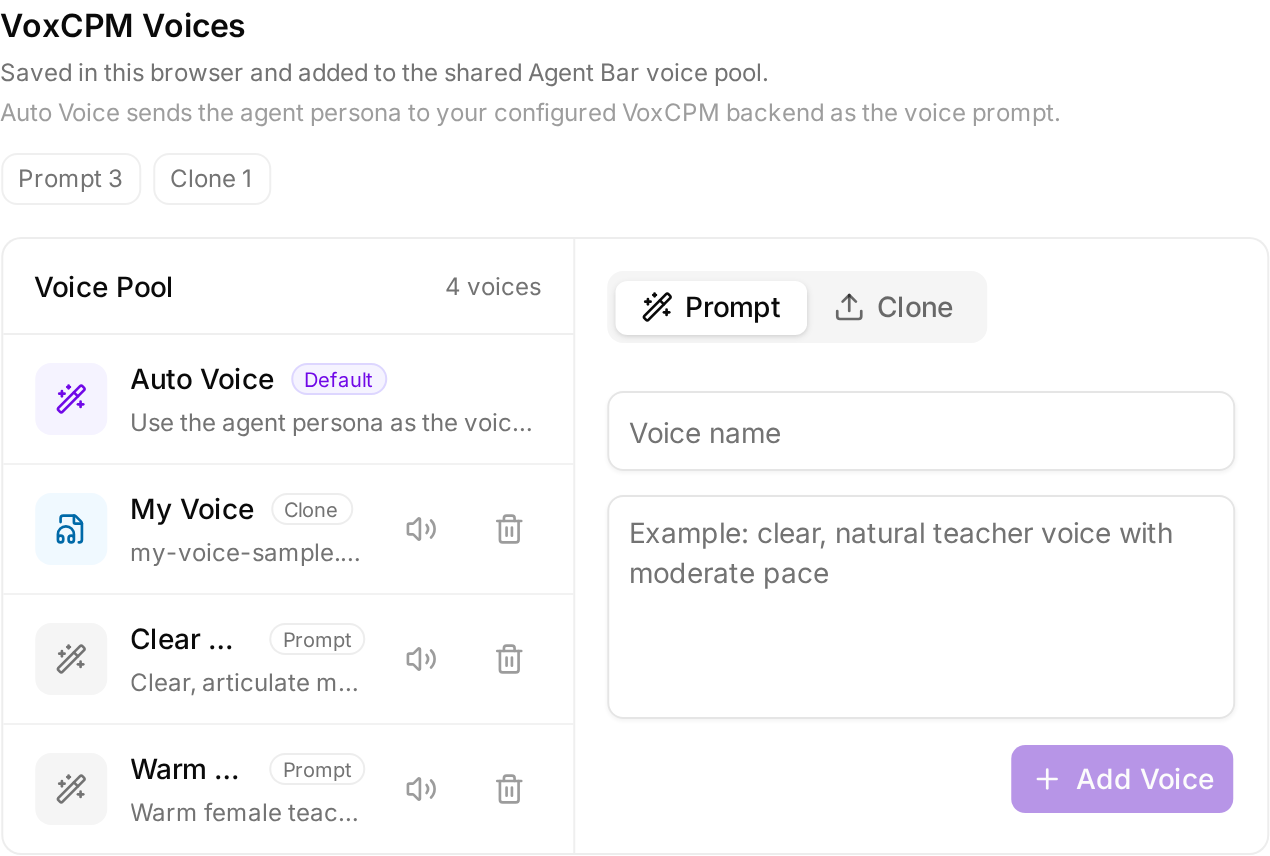
Picture published by the creator on GitHub.
OpenMAIC: Turn any topic into an interactive AI classroom
Added · Updated

Made by MAIC
View profile on GitHub (opens in a new tab)Turn a topic or document into slides, quizzes and discussions led by AI teachers.
For learners who want an interactive lesson on any topic.
What it does
OpenMAIC is a web app where several AI agents work together to build a lesson from your topic or uploaded material. It generates slides, quizzes, interactive simulations and project-based activities. AI teachers and classmates speak aloud, draw on a whiteboard and discuss with you in real time. Lessons export as PowerPoint, one offline web page, or a classroom ZIP.
How to use it
Try the live demo linked from the GitHub page. To run a local development copy, clone the repository, install with pnpm, add a model provider key in .env.local, start the local database with Docker, run the development server, then open localhost port 3000, enter a topic and click Generate.
Common use cases
- Type a topic you want to learn and click Generate; AI teachers build a complete multi-scene classroom with slides and quizzes.
- Upload a PDF or Office document of course notes and get a lesson built from that material, with AI classmates to discuss it.
- Export a finished classroom as a .pptx file that keeps every scene, or as a single offline .html file that plays the whole lesson.
Can I use this?
Requirements Copy the example settings files, add one provider key such as an OpenAI key, and set the database address. Providers include OpenAI, Anthropic, Google Gemini, DeepSeek, Ollama and any OpenAI-compatible service.
Caveat Classroom chat needs a model that supports tool calling, meaning it can use built-in actions. Licensed under MIT.
Worth knowing Generation fails if no AI model is configured, and the server will not start without a PostgreSQL database address.
Why it's here
Not trending this week
Last seen on the GitHub trending list on 6 November 2026. It stays on BuildTube so you can still find it.
- 42,978 people have starred it on GitHub.
Numbers checked on 8 November 2026; not refreshed since.
Behind it
View sourceBuildTube has not run or verified this project. Everything above is written from what the creator published.
Made this?
Quick questions
- What is OpenMAIC?
- OpenMAIC is a web app where several AI agents work together to build a lesson from your topic or uploaded material.
- What can I use OpenMAIC for?
- Type a topic you want to learn and click Generate; AI teachers build a complete multi-scene classroom with slides and quizzes; Upload a PDF or Office document of course notes and get a lesson built from that material, with AI classmates to discuss it; Export a finished classroom as a .pptx file that keeps every scene, or as a single offline .html file that plays the whole lesson
- Can I run OpenMAIC on my computer?
- OpenMAIC is a web app you can self-host on your own machine with Node.js 22.19 or later, pnpm 10 and PostgreSQL 16; the AI model can come from a cloud provider or run locally with Ollama, and a live demo is linked from the GitHub page.
- What do I need to use OpenMAIC?
- Self-hosting needs Node.js 22.19 or later, pnpm 10, PostgreSQL 16 and one AI model provider; cloud providers usually need an API key, local Ollama or Lemonade does not.
- What license does OpenMAIC use?
- Licensed under MIT.
More from this week
- agent-desktop Let AI agents read and click desktop apps
For developers building computer-use agents: agent-desktop lets an AI agent read and operate desktop apps on Mac, Windows or Linux from a command line.
- Auto-Ontology Give AI agents checked business meanings for your database
Help AI agents answer questions about company databases using reviewed definitions and SQL, with each answer showing its steps.
- Spec Kit Turn a written spec into plans, tasks and code
Spec Kit gives your AI coding agent a step-by-step process to build a feature, fix a bug or assess an idea.
Explore by topic
Post this
 Download share image
For makers
Made this? Show it’s on BuildTube — add the badge to your README or embed the card on your site.

README badge (Markdown)
[](https://buildtube.app/p/gh-thu-maic-openmaic/)Embed card (HTML)
<iframe src="https://buildtube.app/embed/gh-thu-maic-openmaic/" width="560" height="240" style="border:0;max-width:100%" loading="lazy" title="OpenMAIC on BuildTube"></iframe>