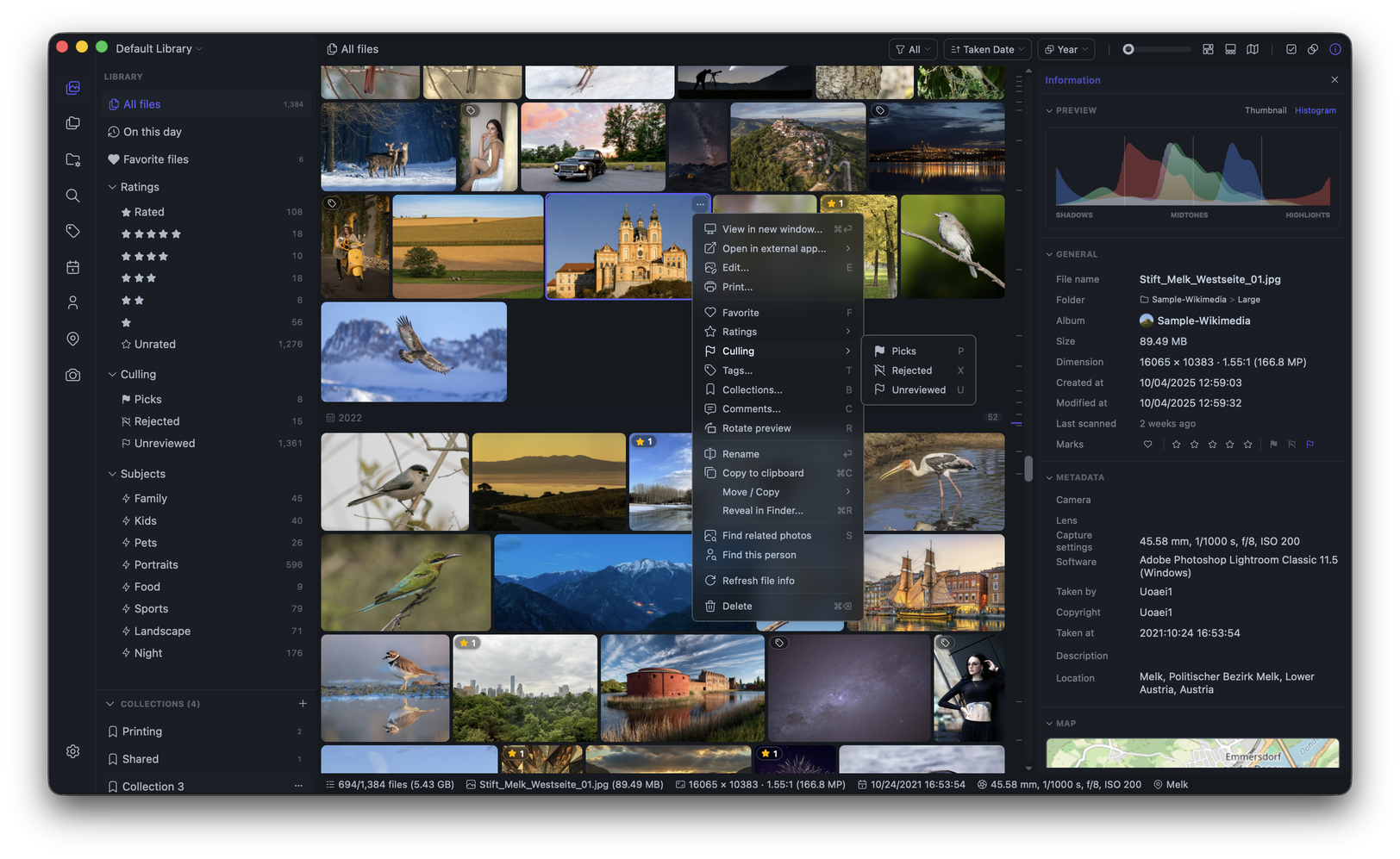
Picture published by the creator on GitHub.
Lap: A private photo manager that keeps every picture on your own disk
Added · Updated

Made by julyX10
View profile on GitHub (opens in a new tab)Lap is an open-source, offline-first photo manager for macOS, Windows, and Linux: a privacy-focused alternative to cloud photo services with no forced upload and no subscription.
Your photos stay in your existing folders instead of a locked database, and AI features — search, similarity, smart tags, face recognition — run locally on your machine. It is built for large libraries of 100,000+ files.
What it does
Cloud photo services want your whole library uploaded before they will organize it. Lap works folder-first on your own disk: browse family albums, find old photos fast with local AI search, detect duplicates, and tag faces, all without anything leaving the computer. Releases are published per platform, including a Homebrew path on macOS.
You could use it to…
- Search a large photo folder by typing what is in the picture
- Find duplicate photos across a big library
- Tag faces in family albums without uploading them
Can I use this?
You'll need A Mac, Windows, or Linux computer · Setup needed
Worth knowing Local AI features need a reasonably capable machine; no cloud means no automatic off-site backup. Licensed under GNU General Public License v3.0.
Why it's here
Not trending this week
Last seen on the GitHub trending list on 3 October 2026. It stays on BuildTube so you can still find it.
- 4,244 people have starred it on GitHub.
Numbers checked on 8 November 2026; not refreshed since.
Behind it
View setup guideBuildTube has not run or verified this project. Everything above is written from what the creator published.
Made this?
Quick questions
- What is Lap?
- Cloud photo services want your whole library uploaded before they will organize it.
- What can I use Lap for?
- Search a large photo folder by typing what is in the picture; Find duplicate photos across a big library; Tag faces in family albums without uploading them
- Can I run Lap on my computer?
- It installs as a desktop app on your own computer. A Mac, Windows, or Linux computer.
- What do I need to use Lap?
- Download the release for your system from the project’s releases page and point it at your photo folders.
- What license does Lap use?
- Licensed under GNU General Public License v3.0.
More from this week
- agent-desktop Let AI agents read and click desktop apps
For developers building computer-use agents: agent-desktop lets an AI agent read and operate desktop apps on Mac, Windows or Linux from a command line.
- Auto-Ontology Give AI agents checked business meanings for your database
Help AI agents answer questions about company databases using reviewed definitions and SQL, with each answer showing its steps.
- Spec Kit Turn a written spec into plans, tasks and code
Spec Kit gives your AI coding agent a step-by-step process to build a feature, fix a bug or assess an idea.
Explore by topic
Post this
 Download share image
For makers
Made this? Show it’s on BuildTube — add the badge to your README or embed the card on your site.

README badge (Markdown)
[](https://buildtube.app/p/gh-julyx10-lap/)Embed card (HTML)
<iframe src="https://buildtube.app/embed/gh-julyx10-lap/" width="560" height="240" style="border:0;max-width:100%" loading="lazy" title="Lap on BuildTube"></iframe>