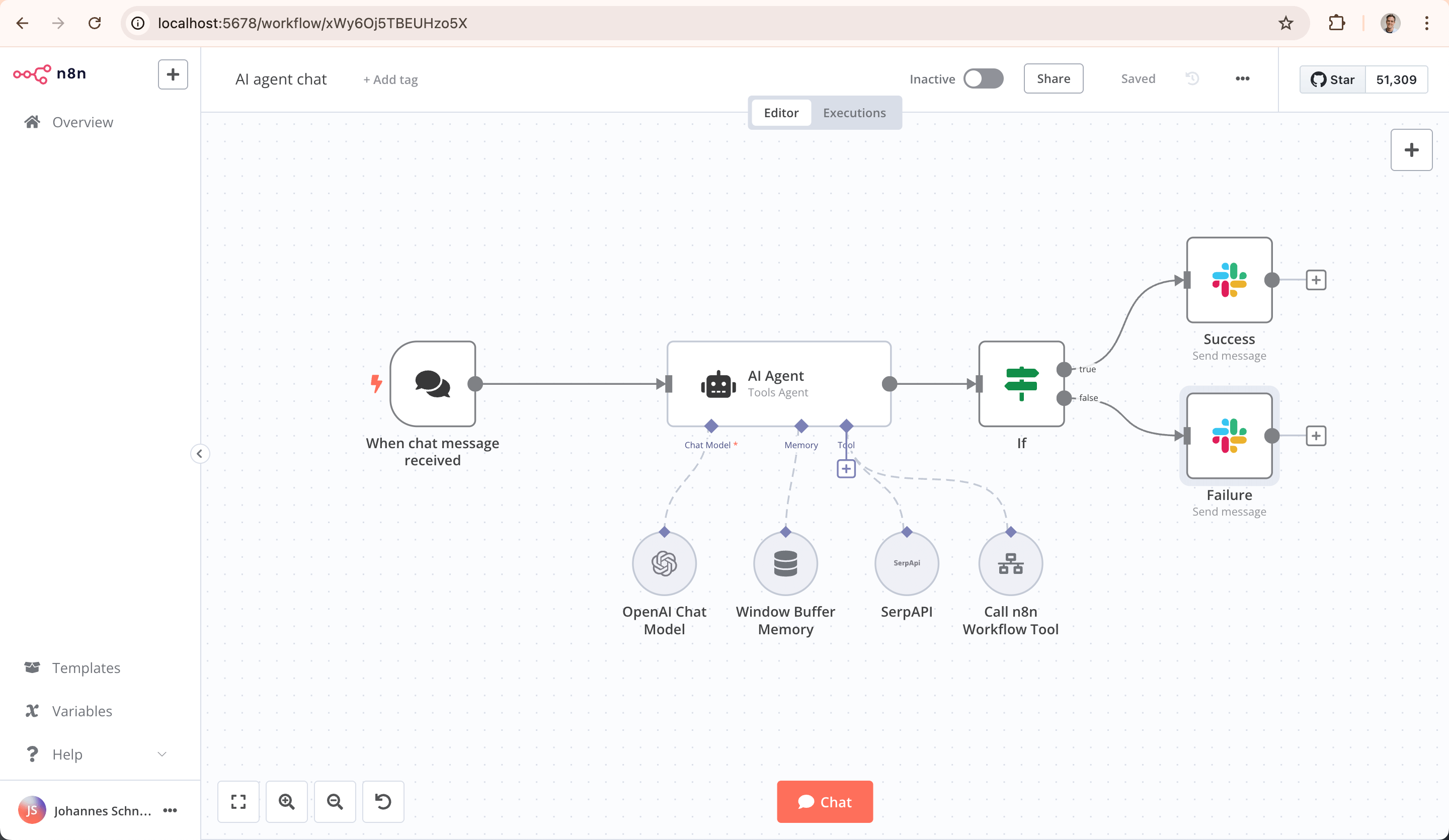
Picture published by the creator on GitHub.
n8n: Wire AI agents into 1,500 apps on a visual canvas
Added · Updated

Made by n8n - Workflow Automation
View profile on GitHub (opens in a new tab)A platform for building automations and AI agents by dragging steps onto a canvas and connecting them, with the option to drop into JavaScript or Python for the parts a visual editor handles badly.
It connects to more than 1,500 services and ships over 9,000 ready-made workflow templates, and it can call OpenAI, Anthropic, Google or open-weight models interchangeably. The same workflows can include branching logic, tool use, human approval steps and monitoring, so a prototype and a production automation are the same artefact. You can run it yourself with Docker or use the hosted version.
What it does
An automation in n8n is a graph: a trigger, then steps that fetch, transform, decide and act, drawn on a canvas and readable at a glance. What has changed recently is that the steps include AI — a workflow can call a model, hand it tools, run a multi-step agent, and pause for a person to approve something before continuing. The provider is a configuration choice, so switching from one model vendor to another does not mean redrawing the workflow. The visual layer is not a ceiling: individual steps can be JavaScript or Python with access to npm packages, which is the usual escape hatch for the one transformation the built-in nodes do not cover. The 1,500 integrations are what makes the canvas worth using at all, and the 9,000 templates mean most common shapes have already been built by someone. Self-hosted deployments add role-based access, audit trails and observability.
You could use it to…
- Draft support replies with a model and pause for human approval
- Start from one of the ready-made workflow templates
- Drop into JavaScript or Python for a step the visual editor handles badly
Can I use this?
You'll need Docker to self-host, or the hosted service · Setup needed
Worth knowing The name to know is "fair-code", not open source: n8n is distributed under the Sustainable Use Licence plus an enterprise licence. The source is always visible and you can self-host and extend it, but the terms restrict commercial use in ways an OSI-approved licence would not, and some features sit behind the enterprise licence. Read the licence before building a business on it. Self-hosting means running and securing a service that holds credentials for every system it touches.
Why it's here
Not trending this week
Last seen on the GitHub trending list on 3 November 2026. It stays on BuildTube so you can still find it.
- 209,811 people have starred it on GitHub.
Numbers checked on 8 November 2026; not refreshed since.
Behind it
View setup guideBuildTube has not run or verified this project. Everything above is written from what the creator published.
Made this?
Quick questions
- What is n8n?
- An automation in n8n is a graph: a trigger, then steps that fetch, transform, decide and act, drawn on a canvas and readable at a glance.
- What can I use n8n for?
- Draft support replies with a model and pause for human approval; Start from one of the ready-made workflow templates; Drop into JavaScript or Python for a step the visual editor handles badly
- Can I run n8n on my computer?
- It runs on your own computer or server after a local setup.
- What do I need to use n8n?
- Docker and a machine to run it on for the self-hosted route, which the project starts with a single install script, or an account on the hosted service. Any model or service you connect needs its own credentials.
- What license does n8n use?
- The name to know is "fair-code", not open source: n8n is distributed under the Sustainable Use Licence plus an enterprise licence.
More from this week
- agent-desktop Let AI agents read and click desktop apps
For developers building computer-use agents: agent-desktop lets an AI agent read and operate desktop apps on Mac, Windows or Linux from a command line.
- Spec Kit Turn a written spec into plans, tasks and code
Spec Kit gives your AI coding agent a step-by-step process to build a feature, fix a bug or assess an idea.
- Stroq Check AI coding agent sessions for leaked keys
Stroq scans your recent Claude Code and Codex sessions for keys that left your machine.
Explore by topic
Post this
 Download share image
For makers
Made this? Show it’s on BuildTube — add the badge to your README or embed the card on your site.

README badge (Markdown)
[](https://buildtube.app/p/gh-n8n-io-n8n/)Embed card (HTML)
<iframe src="https://buildtube.app/embed/gh-n8n-io-n8n/" width="560" height="240" style="border:0;max-width:100%" loading="lazy" title="n8n on BuildTube"></iframe>