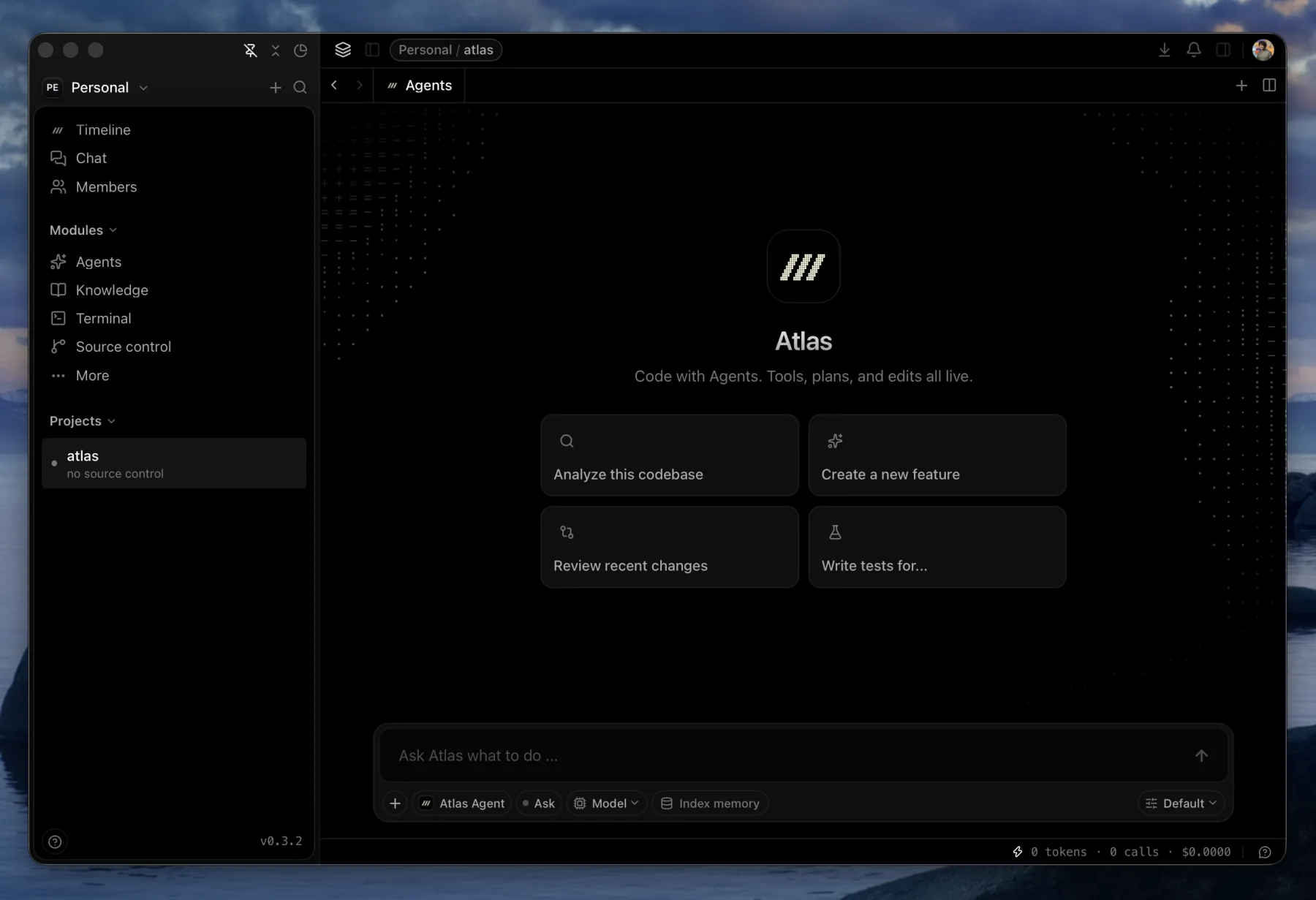
Picture published by the creator on GitHub.
Atlas: Keep the reasoning behind every commit an agent makes
Added · Updated

Made by Adib Mohsin
View profile on GitHub (opens in a new tab)A desktop app that treats agent sessions as something worth version-controlling.
Every agent run produces checkpoints, and each checkpoint links a commit back to the session that made it — the prompts, the tool calls and the reasoning — so months later you can ask why a change was made and get an answer. It runs Claude Code, Codex, its own agent and anything from the ACP registry side by side against one codebase, with a shared memory so switching agents mid-task does not mean re-explaining everything. Notes in the project, plus the CLAUDE.md and AGENTS.md files you already wrote, feed every agent.
What it does
The observation behind Atlas is that agents now write a large share of the code and keep almost none of the reasoning: the commit survives, the conversation that produced it does not. Checkpoints fix that by binding the two together, so a commit is queryable later for the prompt that asked for it, the tools the agent used and the files it touched. The second idea is a shared memory across agents. A decision Claude Code made shows up in Codex’s next prompt; plans, file changes, failures and architecture notes are matched on-device against whatever you are currently asking about, so several agents working the same codebase are not each starting from zero. Your own written context counts too — Markdown notes in the project’s knowledge folder alongside the instruction files you already maintain. Prompts can reference files, folders, symbols, branches, commits, notes and past sessions, all resolved locally before anything is sent.
You could use it to…
- Ask why a file was changed and see the session that made the commit
- Switch from one coding agent to another without re-explaining the task
- Run several coding agents side by side against one codebase
Can I use this?
You'll need macOS 13+ or Windows 10+ · Setup needed
Worth knowing Linux builds from the same source but the project says it is untested, so that platform is a build-it-yourself proposition. It is desktop software you install rather than something that runs inside your existing editor, so it is a change of workflow, not an add-on. Team synchronisation requires signing in and creating an organisation; without that, everything stays local. Apache 2.0. Licensed under Apache License 2.0.
Why it's here
Not trending this week
Last seen on the GitHub trending list on 4 October 2026. It stays on BuildTube so you can still find it.
- 9,404 people have starred it on GitHub.
Numbers checked on 8 November 2026; not refreshed since.
Behind it
View setup guideBuildTube has not run or verified this project. Everything above is written from what the creator published.
Made this?
Quick questions
- What is Atlas?
- The observation behind Atlas is that agents now write a large share of the code and keep almost none of the reasoning: the commit survives, the conversation that produced it does not.
- What can I use Atlas for?
- Ask why a file was changed and see the session that made the commit; Switch from one coding agent to another without re-explaining the task; Run several coding agents side by side against one codebase
- Can I run Atlas on my computer?
- It installs as a desktop app on your own computer. Linux builds from the same source but the project says it is untested, so that platform is a build-it-yourself proposition. macOS 13+ or Windows 10+.
- What do I need to use Atlas?
- macOS 13 or later, or Windows 10 or later on 64-bit, and the installer from the project. Local by default; signing in is only needed to sync across a team.
- What license does Atlas use?
- Licensed under Apache License 2.0.
More from this week
- Stroq Check AI coding agent sessions for leaked keys
Stroq scans your recent Claude Code and Codex sessions for keys that left your machine.
- agent-desktop Let AI agents read and click desktop apps
For developers building computer-use agents: agent-desktop lets an AI agent read and operate desktop apps on Mac, Windows or Linux from a command line.
- Spec Kit Turn a written spec into plans, tasks and code
Spec Kit gives your AI coding agent a step-by-step process to build a feature, fix a bug or assess an idea.
Explore by topic
Post this
 Download share image
For makers
Made this? Show it’s on BuildTube — add the badge to your README or embed the card on your site.

README badge (Markdown)
[](https://buildtube.app/p/gh-pacifio-atlas/)Embed card (HTML)
<iframe src="https://buildtube.app/embed/gh-pacifio-atlas/" width="560" height="240" style="border:0;max-width:100%" loading="lazy" title="Atlas on BuildTube"></iframe>