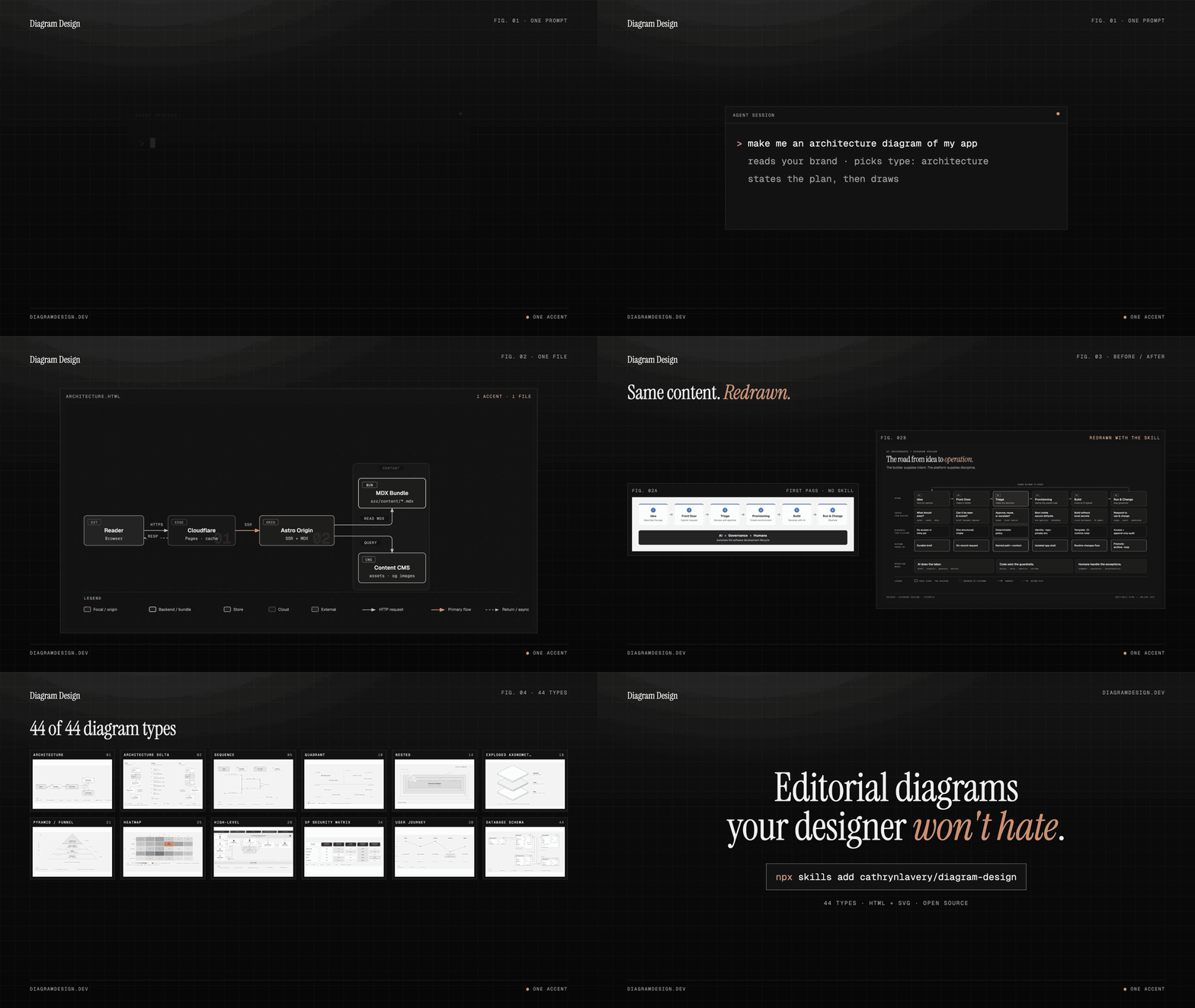
Picture published by the creator on GitHub.
diagram-design: Draw branded diagrams with your agent
Added · Updated

Made by Cathryn Lavery
View profile on GitHub (opens in a new tab)Describe the diagram you want in ordinary words, and your AI agent creates a file you can open in a browser.
Diagram Design can also match the colours and fonts of your website.
What it does
Diagram Design is a set of instructions an AI coding assistant follows when it needs to make a diagram rather than merely describe one. The assistant chooses an appropriate diagram form, explains a visual plan, and writes one HTML file containing SVG — an editable graphic format that opens in a browser. The source covers architecture maps, timelines, comparison views, impact-versus-effort quadrants, and other common diagram jobs, and includes guidance for matching a website’s colours and fonts.
How to use it
Install the skill in an agent host that reads Agent Skills, then describe the subject, audience, and comparison or relationship you want to show. The input is your plain-language brief; the agent proposes a diagram direction and returns an editable HTML file containing the SVG graphic, which you can open in a browser and revise.
Common use cases
- Give a coding agent a system description and ask for an architecture map that makes the main components and connections readable.
- Turn a set of options into an impact-versus-effort quadrant for a planning discussion.
- Ask for a branded explainer with your chosen colours and fonts, then open the generated HTML to review or share it.
Can I use this?
Requirements An agent host that reads Agent Skills and the project’s installation steps.
Caveat The generated diagram is an agent-produced interpretation of your brief and source material, so inspect the relationships and labels before relying on it.
Worth knowing A standalone installation does not follow marketplace updates automatically. Licensed under MIT.
Why it's here
Not trending this week
Last seen on the GitHub trending list on 26 October 2026. It stays on BuildTube so you can still find it.
- 65,786 people have starred it on GitHub.
Numbers checked on 8 November 2026; not refreshed since.
Behind it
View sourceBuildTube has not run or verified this project. Everything above is written from what the creator published.
Made this?
Quick questions
- What is diagram-design?
- Diagram Design is a set of instructions an AI coding assistant follows when it needs to make a diagram rather than merely describe one.
- What can I use diagram-design for?
- Give a coding agent a system description and ask for an architecture map that makes the main components and connections readable; Turn a set of options into an impact-versus-effort quadrant for a planning discussion; Ask for a branded explainer with your chosen colours and fonts, then open the generated HTML to review or share it
- Can I run diagram-design on my computer?
- Diagram Design is a skill that runs inside an AI agent that reads Agent Skills, on your own computer, with no separate app; the result is an HTML file you open in a browser.
- What do I need to use diagram-design?
- An agent host that reads Agent Skills.
- What license does diagram-design use?
- Licensed under MIT.
More from this week
- Stroq Check AI coding agent sessions for leaked keys
Stroq scans your recent Claude Code and Codex sessions for keys that left your machine.
- gstack Turn Claude Code into a virtual engineering team
Review code, test in a real browser and ship code changes with typed commands in your coding agent.
- Garden Skills Give your coding agent video and web design skills
Install ready-made skills so Claude Code, Cursor or Codex can make short videos, web pages and articles.
Explore by topic
Post this
 Download share image
For makers
Made this? Show it’s on BuildTube — add the badge to your README or embed the card on your site.

README badge (Markdown)
[](https://buildtube.app/p/gh-cathrynlavery-diagram-design/)Embed card (HTML)
<iframe src="https://buildtube.app/embed/gh-cathrynlavery-diagram-design/" width="560" height="240" style="border:0;max-width:100%" loading="lazy" title="diagram-design on BuildTube"></iframe>