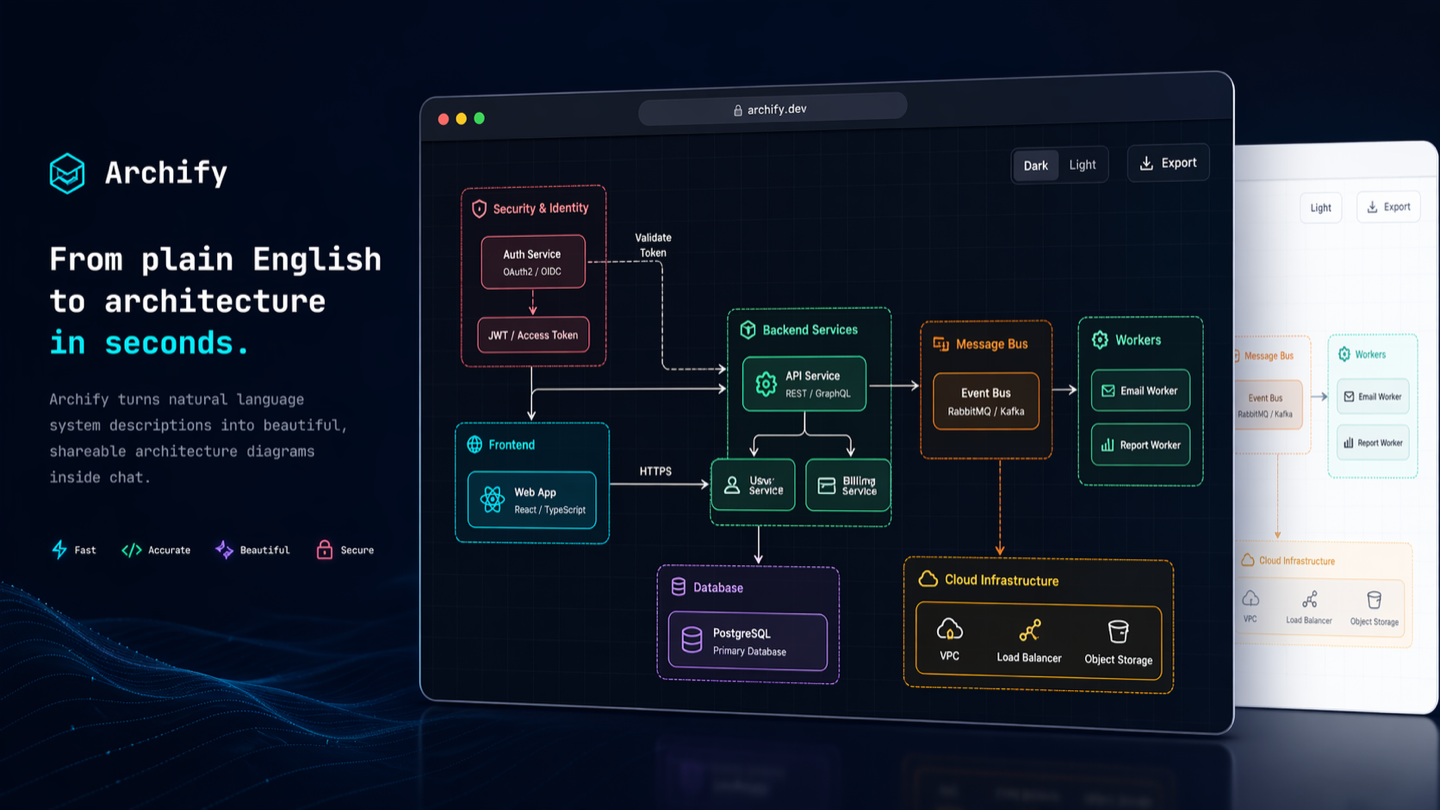
Picture published by the creator on GitHub.
Archify: Turn plans and codebases into interactive visual guides
Added · Updated

Made by tt-a1i
View profile on GitHub (opens in a new tab)Turn ideas, plans or repositories into interactive visuals with this assistant skill, for people explaining systems or organizing what they want to learn.
What it does
Archify is an assistant skill that turns descriptions, questions, plans, or repository contents into interactive visual pages. You can explore and customize the resulting page, or share it with someone else. For longer explanations, it can organize the answer into panels containing diagrams, tables, steps, and code. Repository-based explanations can include source excerpts tied to a specific commit.
How to use it
Open the repository and install it for a supported assistant. Describe what you want to understand, plan, or explain, or ask the assistant to read a repository. Archify produces an interactive web page. Continue with requests such as highlighting a cache-miss path or changing the theme to revise the visual.
Common use cases
- Give the assistant a repository and receive an architecture diagram with links back to source material.
- Describe a travel itinerary or learning plan and turn it into an interactive visual you can explore and share.
- Ask a question and request an explainer page with the conclusion followed by supporting panels.
Can I use this?
Requirements The source lists Cursor, Claude Code, Codex CLI, and OpenCode. A written description is enough to begin; a repository is optional. Hardware requirements are not documented in the source.
Caveat Archify is open source, while third-party online services and paid plans have their own operators and service details. Use the project's installation options for your chosen assistant.
Worth knowing It works through an AI assistant. Third-party online services and paid plans are operated separately from Archify. Licensed under MIT.
Why it's here
Not trending this week
Last seen on the GitHub trending list on 27 October 2026. It stays on BuildTube so you can still find it.
- 94,626 people have starred it on GitHub.
Numbers checked on 8 November 2026; not refreshed since.
Behind it
View sourceBuildTube has not run or verified this project. Everything above is written from what the creator published.
Made this?
Quick questions
- What is Archify?
- Archify is an assistant skill that turns descriptions, questions, plans, or repository contents into interactive visual pages.
- What can I use Archify for?
- Give the assistant a repository and receive an architecture diagram with links back to source material; Describe a travel itinerary or learning plan and turn it into an interactive visual you can explore and share; Ask a question and request an explainer page with the conclusion followed by supporting panels
- Can I run Archify on my computer?
- It runs as an add-on inside an AI assistant you already use. Hardware requirements are not documented in the source.
- What do I need to use Archify?
- Install the skill in Cursor, Claude Code, Codex CLI or OpenCode. A repository is optional; a written description can be the starting input.
- What license does Archify use?
- The source lists the Apache License 2.0 license (Apache-2.0), an OSI-approved open-source license. Read the license file on the source page for the full terms.
More from this week
- Stroq Check AI coding agent sessions for leaked keys
Stroq scans your recent Claude Code and Codex sessions for keys that left your machine.
- agent-desktop Let AI agents read and click desktop apps
For developers building computer-use agents: agent-desktop lets an AI agent read and operate desktop apps on Mac, Windows or Linux from a command line.
- DeepTutor Study your own documents with a personal AI tutor
Read documents with page-by-page citations, practice daily and get video lessons from an AI tutor.
Explore by topic
Post this
 Download share image
For makers
Made this? Show it’s on BuildTube — add the badge to your README or embed the card on your site.

README badge (Markdown)
[](https://buildtube.app/p/gh-tt-a1i-archify/)Embed card (HTML)
<iframe src="https://buildtube.app/embed/gh-tt-a1i-archify/" width="560" height="240" style="border:0;max-width:100%" loading="lazy" title="Archify on BuildTube"></iframe>